import numpy as np
import pandas as pd
import matplotlib.pyplot as plt
import seaborn as snsLoading and Installing Libraries - Answer Key
Exercise 1
- Repeat the steps above to install the following packages from the Anaconda Navigator:
jupyterpandasmatplotlibscikit-learnseabornnb_conda_kernels
This installation may take quite some time as there are many dependencies that will need to be installed for each of these packages.
You will know that the installation is complete if you search installed packages and see each of these libraries with a green checkmark next to them.
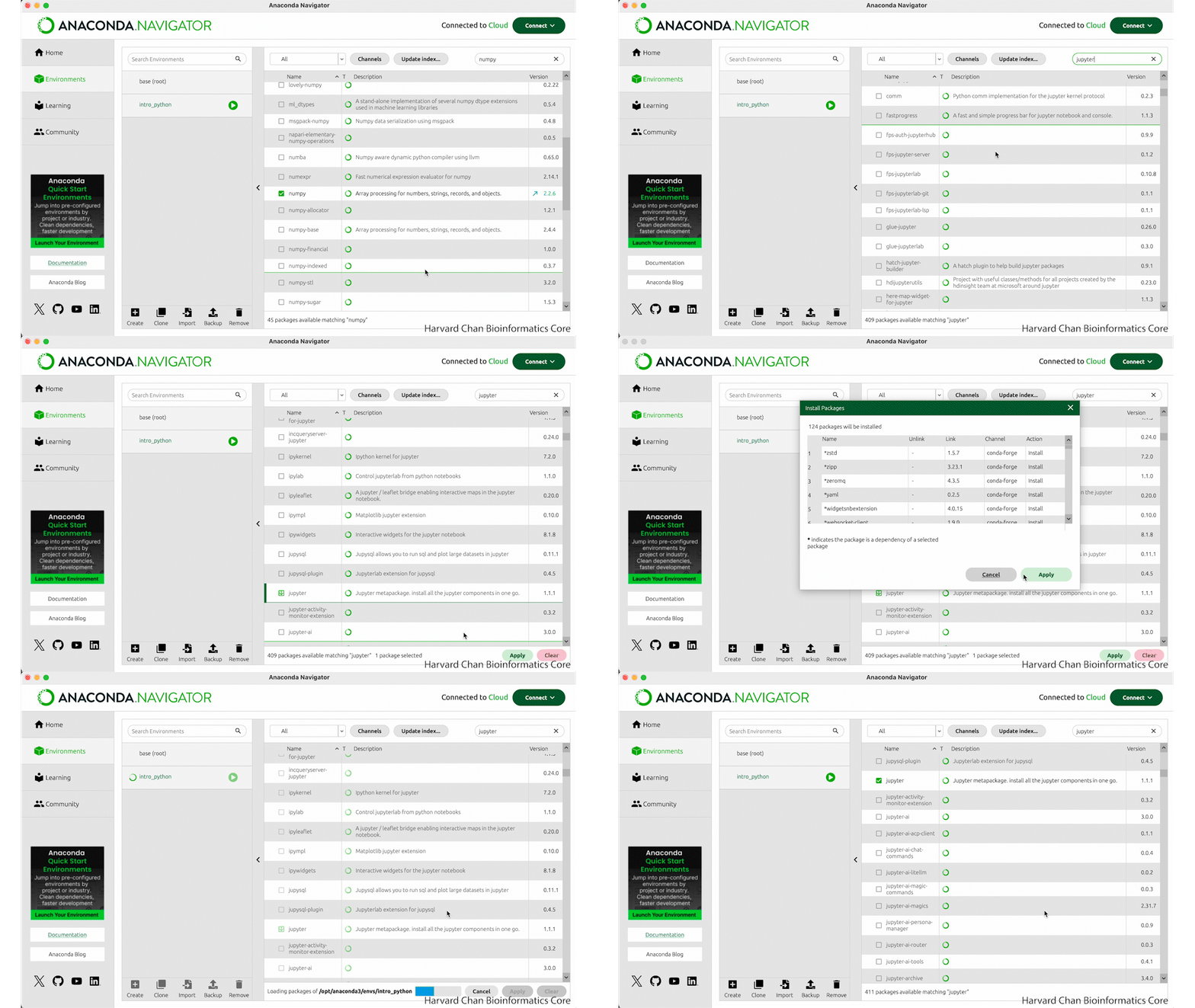
jupyter.
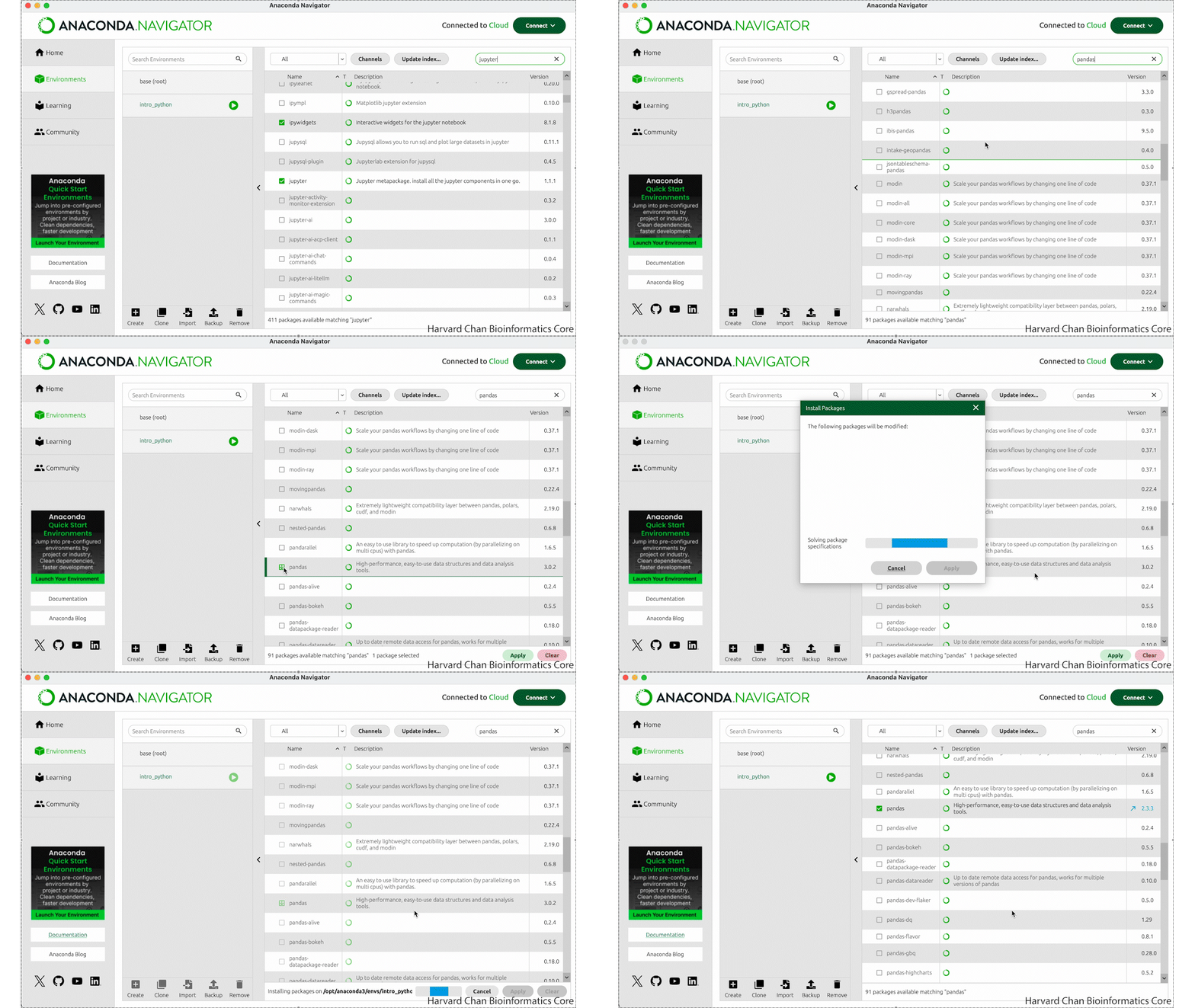
pandas.
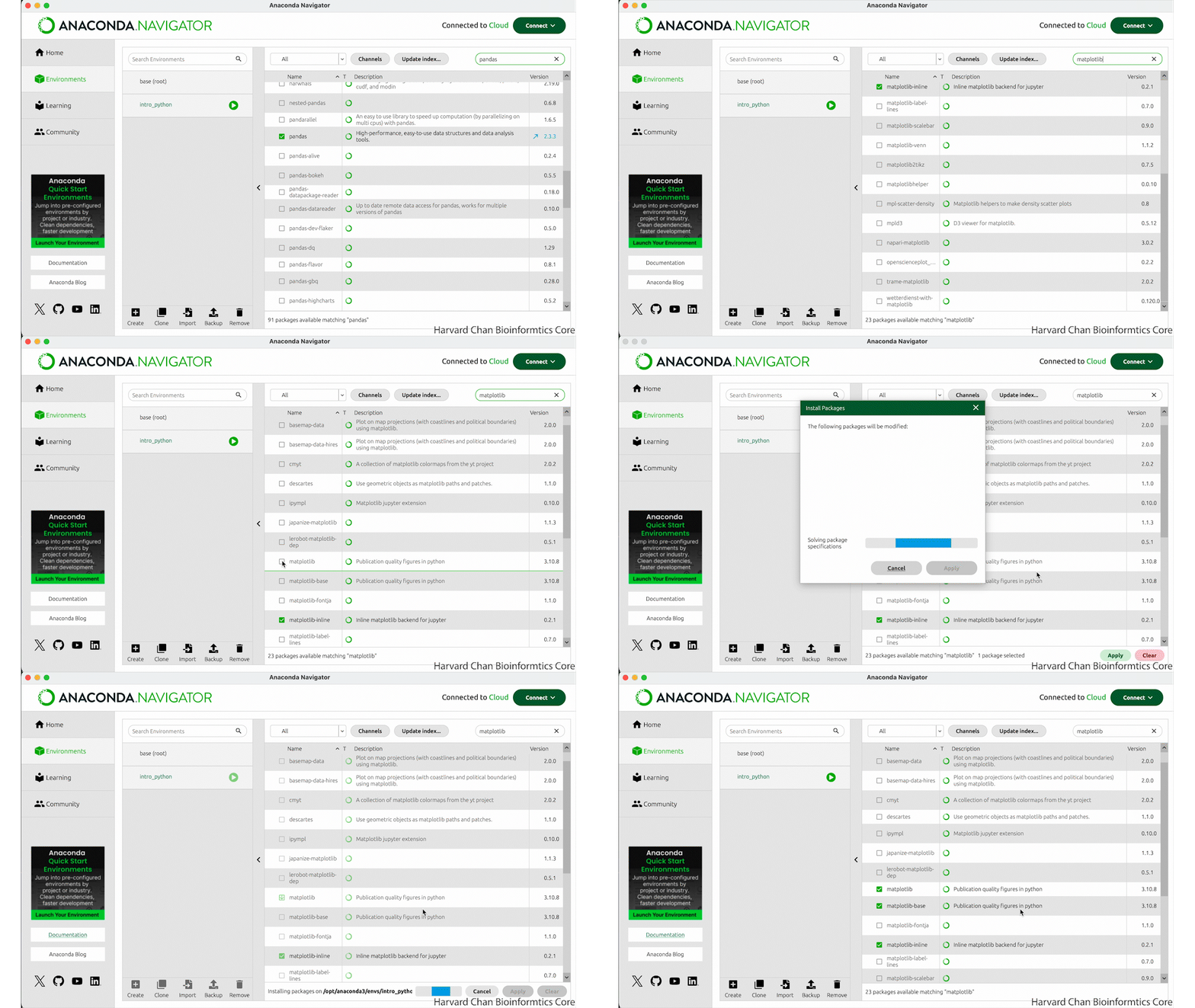
matplotlib.
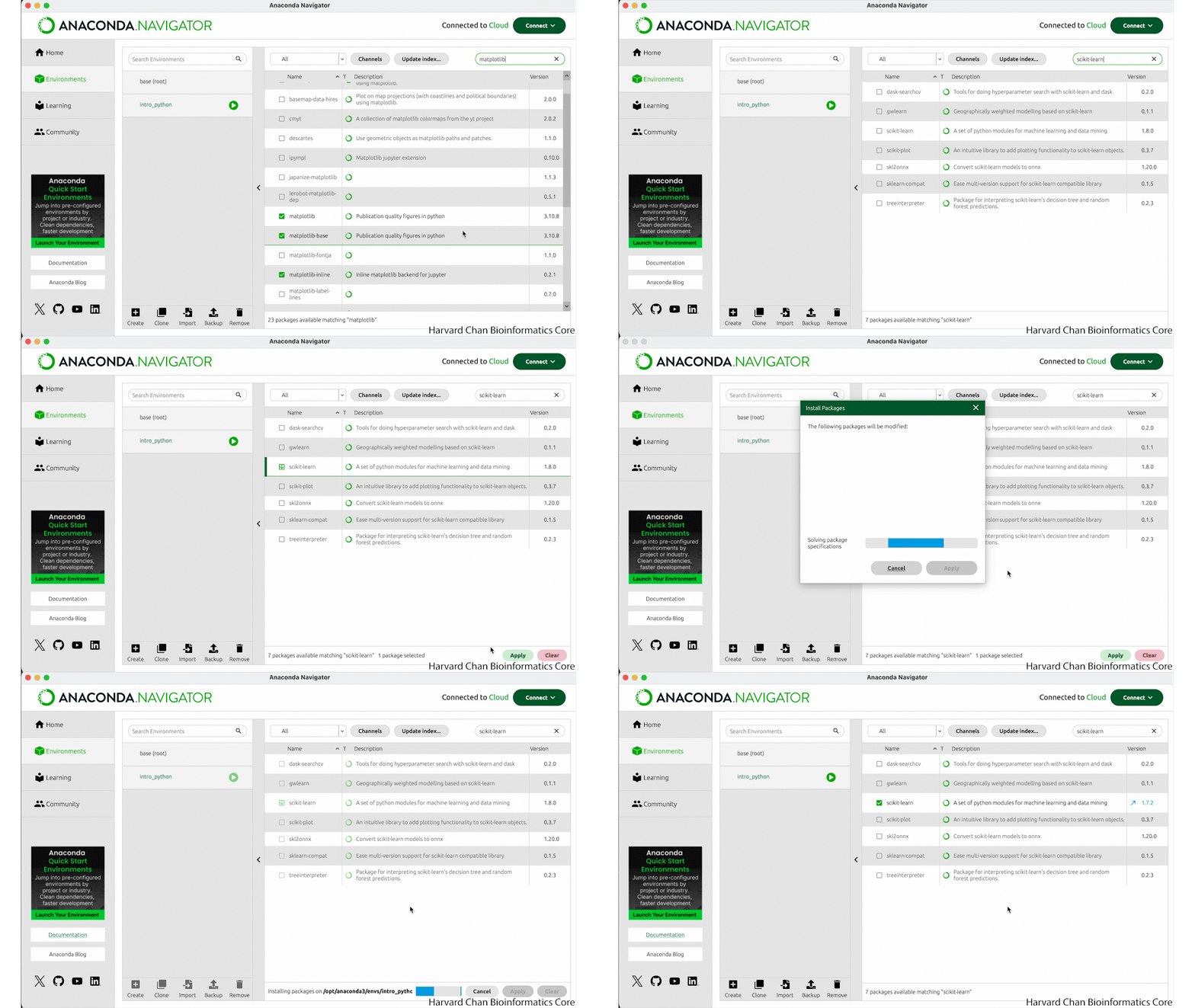
scikit-learn.
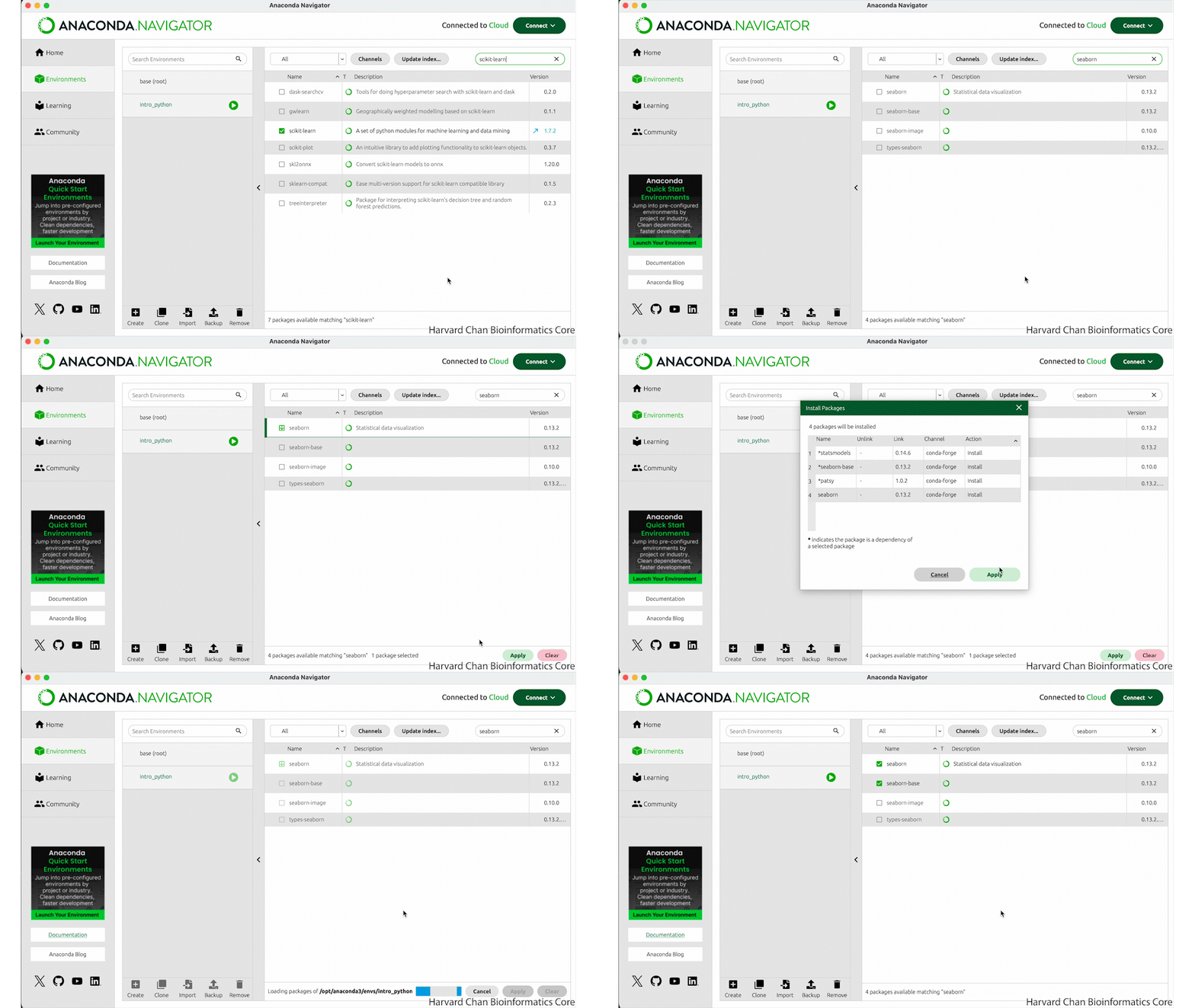
seaborn.
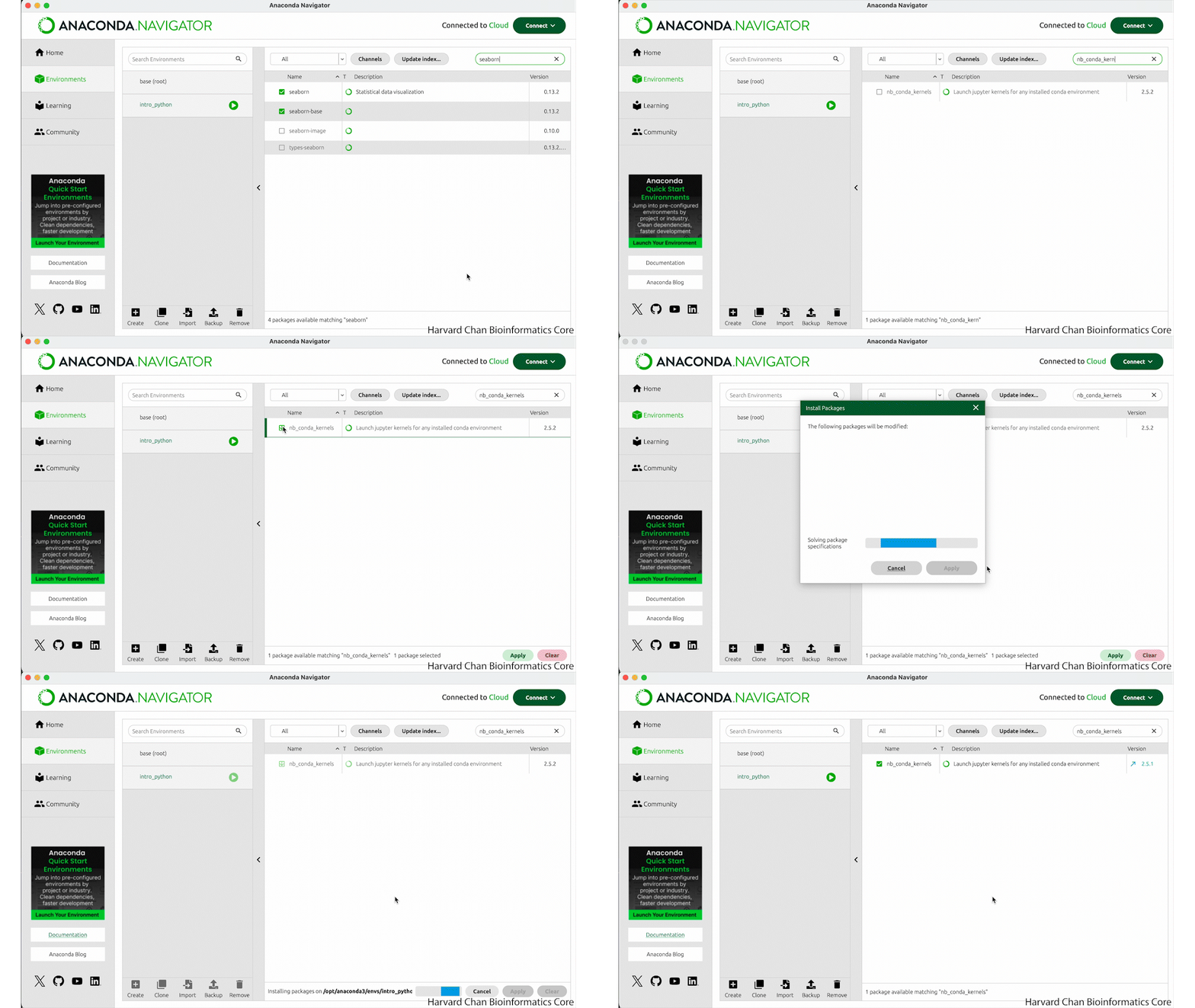
nb_conda_kernels.
Exercise 2
- To ensure that you have successfully installed some of the libraries from the previous exercise, try running the import commands:
This should look like:
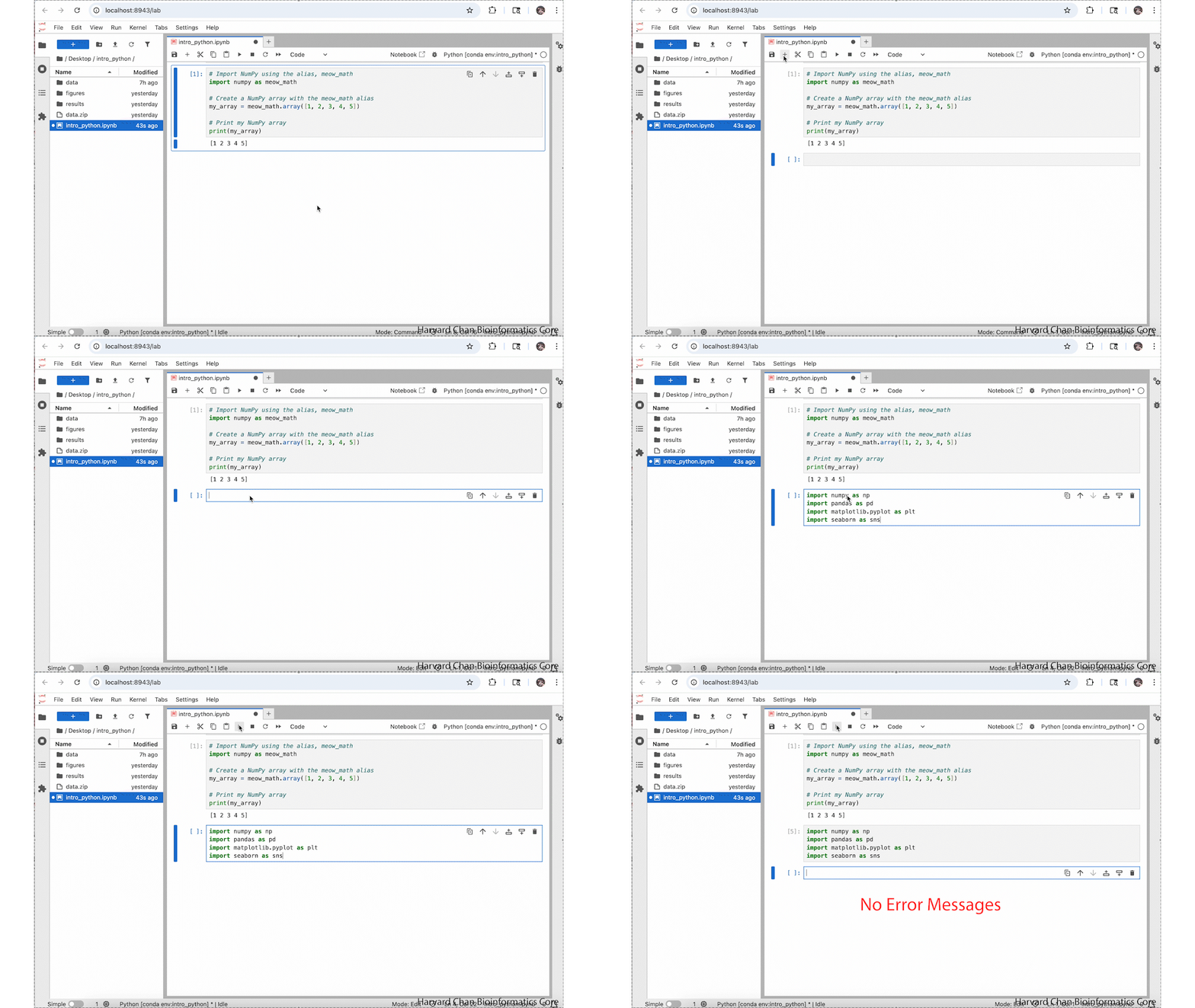
If you get an error loading a package it will look like:
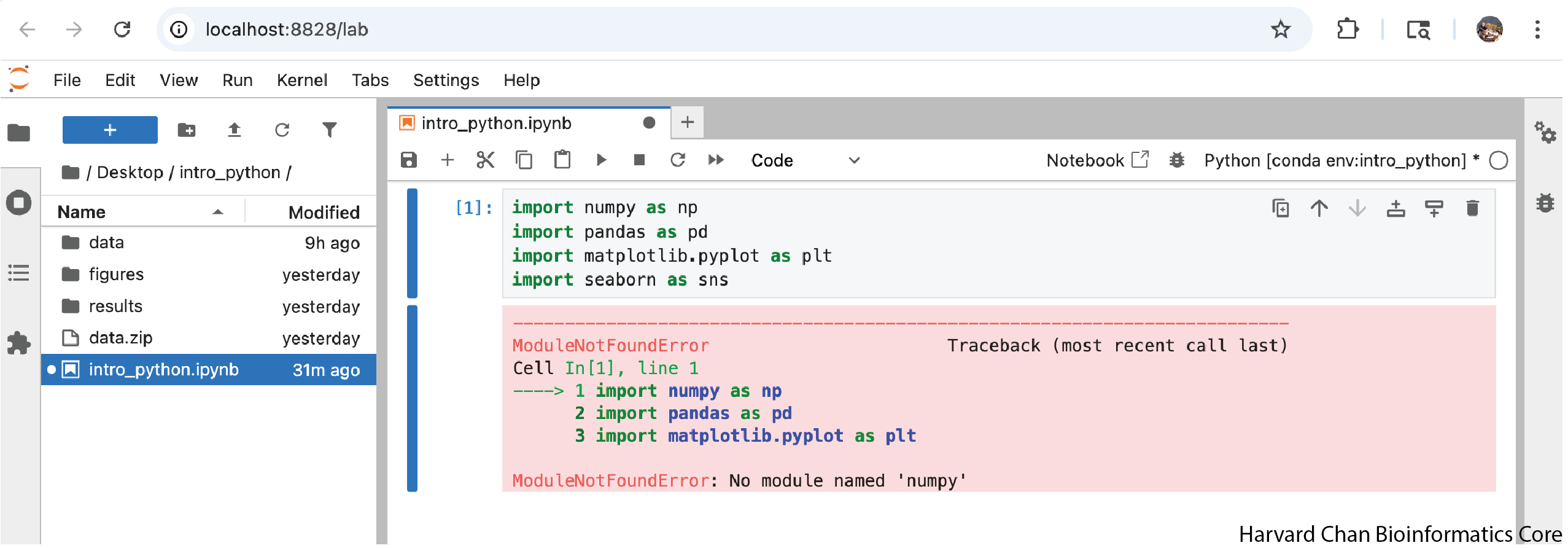
Reuse
CC-BY-4.0